Asia/Karachi
BlogOctober 1, 2026

RAG That Says "I Don't Know"

One number, a similarity threshold, is what stops your document assistant from making things up
Abdul Qudoos
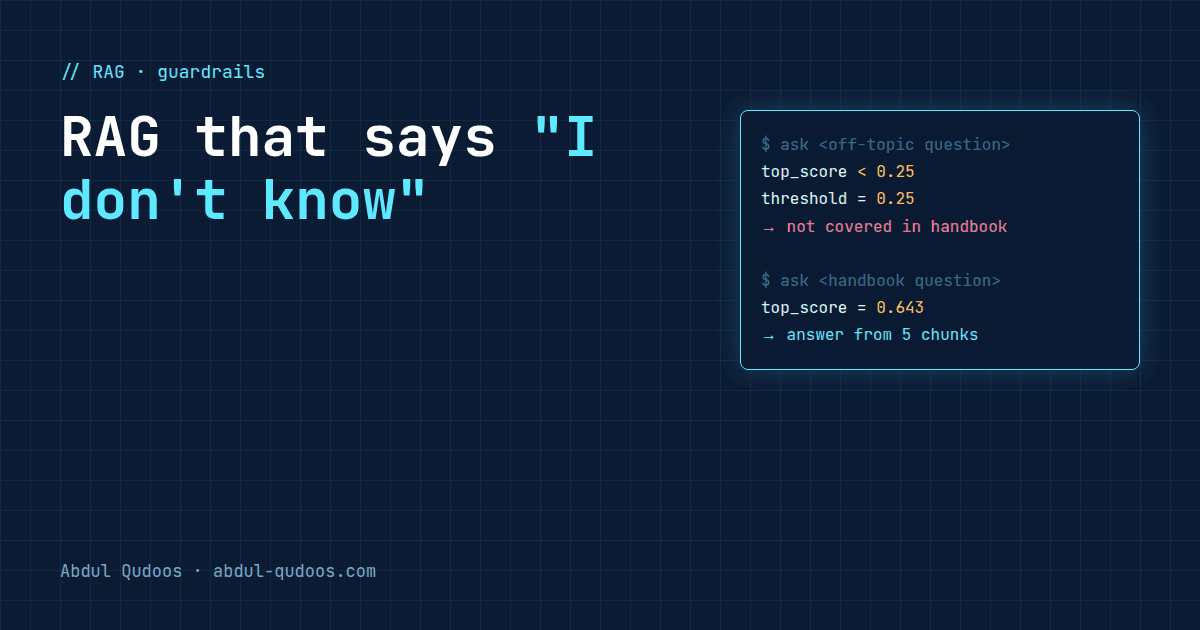
RAG That Says "I Don't Know" — Abdul Qudoos blog cover
Ask a typical retrieval-augmented generation (RAG) demo about something that isn't in its documents and watch what happens. It still answers, fluently and confidently, and often wrongly. That's because a vector search always returns something. Even if the question has nothing to do with your documents, it hands back the "closest" chunks, and the model writes a polished answer from them. When I built a RAG assistant over a 62-page university handbook, the goal was simple: answer from the handbook, and say so when the handbook doesn't cover the question.
StageSetting
Source62-page PDF (61 pages with text)
Chunking300 words, 30% overlap (90 words), minimum 50 words
Embeddingsall-MiniLM-L6-v2, 384 dimensions
Vector storeFAISS flat index, L2-normalised for cosine similarity
RetrievalTop 5 chunks
Threshold0.25 minimum similarity
GenerationGPT-4o-mini, temperature 0.3
The whole index, faiss_index.bin plus chunk metadata, is under 1 MB. You don't need a vector database service for a document this size. After retrieval, before calling the model, there's a check:
Python
def check_relevance(chunks, threshold=SIMILARITY_THRESHOLD):  # 0.25
    if not chunks:
        return False
    max_sim = max(chunk["similarity"] for chunk in chunks)
    return max_sim >= threshold
That's the real function from the repo. If even the best-matching chunk is below the threshold, the app tells the user the handbook doesn't cover it and never calls the model. No context, no generation, no hallucination. Here are the five chunks retrieved for one real test question, straight from the project's report:
RankPageSimilarity
1410.643
2410.257
3390.107
440−0.001
543−0.091
Look at how fast it falls. One chunk is a strong match, one is borderline, and the other three are basically noise. This version of the assistant checks only the best score, so once the top chunk passes, all five go to the model as context. A low temperature keeps the answer close to the strong match, but the obvious next improvement is to drop each chunk that falls below the threshold, not just to gate on the best one. The model tries to use everything you give it, so give it less noise. There's no universal right number. It depends on your embedding model and your documents. The spread above shows the idea: a real answer sits well above 0.25, and the chunks that don't help sit near zero. A threshold in the gap between them keeps the assistant honest.
  • Set it too high and the assistant refuses questions it could have answered.
  • Set it too low and it's back to guessing.
The process matters more than the number. Log every query with its top scores, look at them, and set the threshold where the good matches separate from the noise. The repo keeps a prompt_log.txt for exactly this. Rules in a handbook often span a paragraph break: the requirement in one paragraph, the exception in the next. Cut them apart and retrieval finds half the rule.
  • 300 words is big enough to hold a complete rule with its context.
  • 30% overlap means a rule that crosses a chunk boundary still appears whole in at least one chunk.
  • A 50-word minimum drops tiny fragments, like headers and page numbers, that match everything and mean nothing.
  1. Retrieval always returns something. Decide what "not good enough" means and enforce it in code.
  2. Refusing is a feature. In a support or policy assistant, "I don't know" is far cheaper than a wrong answer.
  3. Use a low temperature for grounded answers. You want the model to restate the source, not get creative.
  4. Log scores, not just answers. You can't tune a threshold you can't see.
  5. Start small. A flat FAISS index on disk is enough for hundreds of pages. Add infrastructure when you need it.
Want an assistant that answers from your own documents and knows when to stop? Tell me what you're working with.
Share this post: